Thursday, May 8, 2014

Two Roads Diverged..


" and sorry I could not travel both. I chose the one last travelled by, and that has made all the difference." - Robert Frost

Technology Integration in the Classroom... Finally

Choosing the "road" of technology has not always been an easy choice for me. It often seems overwhelming and daunting in an already hectic schedule of teaching. The project I designed on Poetry Analysis takes lessons and ideas that I am already familiar and comfortable with and modifies them to enhance student learning. This was a comfortable place for me to start as I move down a new path in the classroom.

495 (The main road with many off-ramps):
According to the ELA standards 5th grade students must be able to determine a theme in a poem as well as identify how the speaker of a poem reflects upon a topic. They must also be able to identify figurative language; such as similes and metaphors.  These two standards set up the basis for my essential question for the unit; of course though, many other standards are addressed throughout as well. 

Essential Question: How do poets use figurative language 
and other writing tools in their writing to reflect on an idea or message?

The unit will begin with several mini-lessons on poetry (Phase 3 of Ubd) including a haiku deck created by me to introduce types of figurative language. We will also venture to the computer lab to read well-known poems and explore the famous poet's biographies on a site called Rainy Day Poems. This site is very kid friendly and will be a good place for them to explore on their own later during the assessment phase of the unit. 

The Phase 2 of the unit (Assessment) will include a quiz on figurative language, as well as several teacher conferences as the students complete the initial steps of their project and are required to get signatures along the way. The teacher signature enables the teacher to make observations and collect assessment data throughout the process, allowing them to make adjustments to instruction as necessary.

The unit will end with a final project which will include making a slideshow presentation using WeVideo. This slideshow will synthesize information learned throughout the unit and demonstrate the skills needed to answer the essential question. 

Exit 32 (The final road to your destination) 

The unit will culminate in a final presentation using WeVideo. To prepare for the project students will apply information that they learned throughout the unit on figurative language and author's intent to create a visual poetry analysis of a well-know poem. Steps to this project can be found on this link to GoogleDocs.

Detours: (When a tree falls in your path):

Through designing this unit one thing I learned is that the best laid plans always come with many roadblocks to completion. It is important as an educator to be flexible in your thinking in the same way that we expect our students to be. This is very much true when learning to integrate technology. During my design for my final project I had many ideas and found that the best way to choose was to explore, fail, and try again. Many educators, myself included, have at times chosen to get off the technology highway for the country road of paper and pencil. Find a way to explore a middle ground, as I did with this project, start with content you love and know. This will make it easier to take risks and motivate you to plow through the road blocks. If you try an application and don't succeed, I started with TedEd, try another one. Your students will love hearing about the roads you took to get to the final project, and it will help you to become a better educator of your students when they inevitably hit road blocks as well. Below I have given a quick list of all the links included in the Post to make it easier to find them. Good luck on your Technology Road trip!

Quick Links:


Tuesday, April 22, 2014

Video Lessons

       Interactive videos, like TedEd and Educanon, are new tools for my teaching tool box. Students in the 5th grade are very engaged by media such as videos, and finding ways to integrate them into teaching could prove very helpful. In the past I have limited the amount of video use in the classroom because I felt that videos did not hold the students accountable for the information that they learned. Tools such as TedEd and Educanon make it easier to hold students accountable.

       At the fifth grade level I do not feel comfortable giving video lessons as "homework". I think the initial viewing needs to be part of the school day. I recently gave a parent survey on this topic and several parents said they would not want their child to have online homework, however they would want links to resources. I think that having the links to the videos used in the classroom available on a class website would be very beneficial for review and repetition before a benchmark exam.

      I think Educanon and TedEd offer interesting differences in the way they are managed. I like how Educanon offers the ability to ask questions throughout the viewing. I think this helps keep students engaged throughout the video, however the questions at the end might offer a better summary of the learning. Also the use of open response questions allows the teacher to tailor and synthesize the information more closely to what they are learning in the classroom.

        For instance the video that I selected. The "Brown" food chain gives information about food chains based off of dead and decaying matter, rather than the typical "green" food chain we usually learn about which has plants (producers) at the bottom of the chain. In order to more closely connect this to what we are learning in our classroom on ecosystems I was able to add in open response questions about what scavengers and decomposers we had in the ecosystems we built in our classroom.

       The other tool on TedEd that is very helpful for our students, especially fifth graders, is the ability to get a hint. I love that if you get a question wrong you are encouraged to go back to the video. This is what we are constantly trying to teach our students in Reading Class. Students think that they have to "get" it on the first try and think they have failed if they have to go back and reread something. These hints that send them back to specific parts of the video reinforce that it is ok, in fact often necessary, to go back and re-read, re-watch, and re-learn some information.

     Video learning is now a tool that I think could really enhance student learning in the fifth grade.

Thursday, March 27, 2014

The Google Experience

           The google experience:

When I heard the word "Google" my initial reaction was "Yup! I know all about google... just a  quick search engine that sometimes helps you find something you are looking for". Little did I realize that "Google" could be SO much more than that. 

An Overview of Google Tools
       On a basic level the tools that you can use to create documents and posters are a mere substitution for other applications available. They are comparable to word or pages in their ability to put together a document or poster. Tools such as spell check, font, and images are fairly similar and do not offer you a greater functionality in google than in any other application. However google does not stop at the basic components.
       It is a clear enhancement to the functionality that google will auto-save these documents for you to access from any computer with WIFI access. The ability to then share these documents, presentations, and forms, allowing others to edit, comment, and view brings these tools to an even higher level of learning. One could argue this addition is what finally enters us into global learning. These tools support and encourage collaboration between groups that may not have been able to work together before. It allows us to cross boundaries of time and space to learn from and with our colleagues and peers.

New Tools to Me
      Google Docs, Drawing and Slides were all very familiar to me, but google forms was a whole new application to me. I have filled out surveys online before, but I did not realize how easy it could be to create and manage them. I felt very "professional" when I viewed my own survey online and could see many uses for how this can be used in the classroom. It is a great way to start off the school year with parents, it could be easily accessed and filled out as a beginning of the year survey and the results are so easy to view. I love that it puts the results all in one place that I can easily view and keep. I  could even make it a link on my classroom website and invite the parents to view it in my opening letter.
      I can also see how it would be helpful to use in the classroom as well. You could use it as a quiz after a mini-unit. Answers would be very easy to check and you could identify areas of weakness within a unit. I am not sure yet whether or not I can require 5th graders to do homework "online", as not all students are allowed internet access,  but it could possibly be used in the computer lab or as part of their morning work to fill out as they entered in the morning, especially if it was brief.

In the Classroom
      I am very excited about using GOOGLE Slides in the classroom. I understand why it was so important to try it out with a colleague in order to understand the full extent to which it can be utilized. When I first signed in I viewed it as any other "PowerPoint" type application and began designing my project. Then all of a sudden Tracy's picture popped up and I realized she was viewing it as well. Next I noticed that I could see exactly what she was working on and the changes she made in "real-time". I could even open up a chat window to discuss ideas that we had. I believe that the implications of this are tremendous.
      I have a student in my class that is not able to work in a group due to social difficulties. Students are reluctant to work with him because of his behaviors even though intellectually he is very strong. With Google Slides he could be put in a group and work on a presentation with a classroom aid prompting and guiding him at the computer. This would give him a level playing field socially. She would be able to remind him to not "write" or "talk" over someone and guide him on how to share his ideas appropriately. If he needed breaks he could stand up, move around, walk away, without disrupting the rest of the group.

SAMR Model
      Finally, I believe that all teachers could benefit from hearing about the SAMR model. As I listened to the descriptors I realized that much of what I use for technology is just a substitution for other tools or at best an augmentation. I think that viewing the model gives me motivation and a goal to look for ways that I can move from mere enhancement of my lessons to transformation of my lessons through technology integration. As with Blooms taxonomy there is value to the enhancement level, however it is important not to stop there. I think that Westford's model of integration does encourage this transformation level because it focuses on collaboration which I believe is integral to the higher level thinking. The missing piece I believe is the time that is needed to fully carry out this model. More time for technology and collaboration will be integral to fully move to the next level. Teachers need education on what is available and students need time to practice and reinforce technology skills before they can apply them to new learning.


Tuesday, February 11, 2014

Introduction: First Post

Online Learning: What it means to me; Overcoming past experience
               I have only taken one online course before and it was on something about child psychology, honestly I barely remember the content. I took it with one of my high school friends when we were home on break from college because I thought it would be easier taking it together. For me it was a required course, but I am not sure if it was required for her. I remember it being pure torture and thinking I would never do it again, and yet my friend seemed to love the course. I think the main difference was our learning styles. My primary mode of learning is auditory and kinesthetic. I love to read for enjoyment, but struggle when it comes to "text book" reading because it does not hold my interest. My friend enjoys reading text books and self-teaching. I found myself leaning on her to "get me through" the course. Most of the class consisted of reading a chapter and posting a response. 
               Luckily there was an online forum space where there were discussions weekly. That was probably the most interesting part of the course for me. Hearing other's perspectives. I know I learned more in the forum then I did from the book. It has taken me a long time to reconsider this view of online learning. I am sure that a lot has changed in what an online course has to offer, especially considering I took the course over ten years ago. When the opportunity for this online course came up it made sense to try again. What better way to learn about technology, and what it has to offer, than through technology?
               At this point online learning means an opportunity to try something again and in some way, also for the first time. It means the flexibility of taking a course while still working and being a mom. If it is successful it feels as though I will be regaining my ability to be a learner without minimizing the time I spend in the other important areas of my life. It isn't practical to think that I am going to go out twice a week to take a face to face class, but maybe I can learn a way to continue to learn in a different venue.

Goals: A reflection of current practice and an examination of future endeavors 
              My goals for this class are to gain knowledge of the tools available online. First off, I would like to learn what is out there for communicating with parents and students. It has been my professional learning goal this year to set up and maintain a classroom website. I had pictured one simple way to do this, but it turns out I need more guidance than I anticipated on choosing the most appropriate way to do this. I set out on Blogger ready to create my site, but lacked follow through because I was unsure what was the most beneficial use of my blog. I am hopeful that this course will help point me in that direction. In addition, I am hoping that once my blog is established it will become a place where I can integrate more learning and technology through links and online learning for my students. 

Online Tools: Move over paper and pencil make room for tablets
               One area I would like to explore the use of technology is in my literacy program. I recently have been exploring a site Reading Rewards which offers students the ability to log their reading online, as well as "blog" or reflect on their reading in a classroom format. The site is managed by the teacher, creating a safe environment for learning, as well as a way for the teacher to collect easy data on the amount of reading the students are doing independently. I would like to explore this site as well as others as an eventual way to do away with the paper reading log and hold students more accountable on thoughtful response when they have finished a book. I hope to find online tools that motivate students to want to learn, as well as engage them in taking responsibility for their learning.

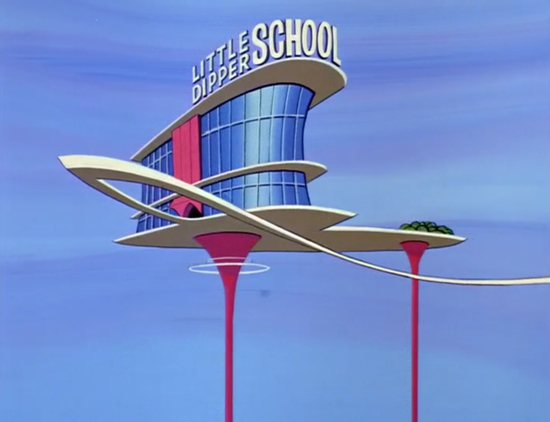
A Digital Classroom: Welcome to the age of The Jetsons 
                  My vision of a classroom of digital learners is one that moves beyond the "read and respond" and creates something interactive between a community of learners. I do not want my students to have the initial experience that I had. I know that my students crave online interactions and technology integration. It is what they have grown up with. My three year old thinks it is funny to talk on the phone when you can't see the person you are talking to. She will never know that when I was little, I watched The Jetsons and laughed about being able to talk and see the person at the same time as though that would be impossible to accomplish. The virtual classroom is no longer a cartoon dream. Students now expect to use technology daily and unless I learn how to fully incorporate it I know I will lose some learner's attention. My vision of a digital classroom will hopefully combine the great things already happening daily in a "real" classroom and add a layer of technology that enhances their learning.